
debian-helper-scripts
by Russ Knize on Dec.02, 2007, under Linux
debian-helper-scripts is a set of tools to help with the maintenance of a Debian system. It is basically a package of scripts (Perl and Bourne-shell) that I generally install on any Debian system that I maintain. They are:
Packages
Debian on the Xbox
by Russ Knize on Nov.07, 2007, under Linux
Update 01/17/2012: It seems that my internal links suffered from bit rot and broke at some point while moving my website around. I have fixed those. Also it appears that the xbox-linux.org site is borked and has been for some time. I still get emails about this process, so I have annotated some of the steps below as best I can from memory.
Below are a series of Debian packages specific for the Microsoft Xbox. Their purpose is to assist upgrades from Xebian 1.1.4, which is based on a rather old version of Debian GNU/Linux 3.0 “woody”. These packages allowed me to upgrade my Xebian installation to Debian GNU/Linux 4.0 “etch”, with some additional effort. Here is an approximation of the steps required to install Debian on an Xbox:
- Read the Getting Started Guide at the Xbox Linux Project Wiki. The exact methods that you chose depend entirely on what you have to start with and what are your goals. You may have to flash the BIOS, etc. In other words, this is where you have to hack the Xbox so that you can boot Linux. There are several ways to do it and they are documented elsewhere on the Internet. I used a mod chip and loaded Debian into the unused area at the end of the hard drive so that I could still use Xbox Live (though I never did). There are other methods that don’t require hardware mods as long as you don’t mind getting your device blacklisted on Xbox Live. Given the age of this device, I suspect you probably don’t care. One caveat is that the kernel sources below do not have the FATX patches applied. If you plan to install Xebian in the game partition, you’ll need these. I remember seeing them ported to a later kernel by someone else out there.
- You should evntually end up at the Xebian Download page. Download the Xebian 1.1.4 archive of your choice. The “basic” archive is effectively a Debian base install for the Xbox, while the “xbox” archive is a full graphical desktop. Both work on the Xbox, of course. If you are an advanced Debian user and intend to immediately upgrade to the latest stable Debian, the upgrade may be more painless by starting with the “basic” archive and adding packages after the upgrade is complete. I already had the “xbox” archive installed for several years, as it was being used as a MythTV frontend.
- Be sure to read the Xbox Linux Boot CD/DVD Burning HOWTO before burning any images. There are some caveats with the Xbox. Basically, don’t use CD+RW or and RW DVD media because the drive doesn’t like it. CD-RW media seems to work fine as do regular CD-R’s.
- Read the Xebian HOWTO all the way through. I don’t remember anything from this, but there is some information in the README that comes in the Xebian archive.
- Install and configure Xebian per the procedure outlined in the HOWTO.
Once you have Xebian installed and configured, you need to prepare for the Debian upgrade. At the time of this writing, Debian GNU/Linux 4.0 “etch” is the most recent release. This procedure has that assumption in mind. If Cromwell BIOS is used, version 2.40 or higher is required. Obviously, this is a rather old version of Debian. Debian doesn’t support skipping over stable versions, so your best bet is probably to download Etch from the archives and do the upgrade per the steps below. If you only did a base install of Xebian, you might be able to get away with skipping straight to the latest version, but I haven’t tried it.
- Configure your apt sources.list as shown here and execute “apt-get update”.
- Upgrade the kernel and modules to version 2.6 using the packages below. Due to something strange about make-kpkg, the sources may need to be untarred in “/usr/src” for the installation to succeed. This kernel is rather long in the tooth, but I never got around to making an updated one. The patched sources are below, so you can generate your own patch set from the pristine sources and try to patch a later kernel. If you have luck, I will be happy to post a newer kernel here for those who may follow.
- Install the module-init-tools package with “apt-get install module-init-tools”.
- Replace/merge your “/etc/modules” config file with this one.
- Add an entry for the new kernel to “/boot/linuxboot.cfg” as described on the Xebian-1.1.4-Kernel-2.6-Upgrade Wiki page under “Compile the Kernel -> xebian”. You will need to change the “append” line for the new kernel to “root=/dev/hda2 kbd-reset xbox=hdd”, as Xebian uses the obsolete devfs driver. Be sure to leave the entry for the old kernel in case something goes wrong. This one works with the kernel package below. Just use the config file below. It should be self-explanatory.
- Reboot the Xbox with the new kernel. You need to manually select the HDD boot device to make the kernel selection menu appear. If all goes well, add a “default” entry to “/boot/linuxboot.cfg” to make the new kernel the default.
- Now perform the Debian upgrade. There are some caveats with “etch”, so be sure to carefully follow the upgrade procedure in the Release Notes for Debian GNU/Linux 4.0 (“etch”), Intel x86. Some manual intervention is required to get the upgrades to go smoothly, including removing some old packages (hotplug and python2.3 come to mind) and browsing through various scenarios presented by the aptitude tool. This is due to old Xebian cruft. There are caveats to most Debian upgrades, so be sure to carefully read those release notes as well.
- Once the final “aptitude dist-upgrade” has been completed, reboot the Xbox to make sure it comes back up OK.
- Install the “nvxbox” driver for X.Org and place this xorg.conf as “/etc/X11/xorg.conf” to get the X server up. This is going to be a problem for later versions of Debian. If you need X, you may have some difficulty. Definitely look at the nouveau driver as they were actively trying to support the Xbox at one point.
- Replace your “/etc/lirc/lircd.conf” with this one if you were using the Xbox DVD remote with Xebian. The new lirc_atiusb module only returns one byte per code instead of the 3 byte sequence of the old driver.
- Xebian’s “blink” tool to control the Xbox LED will not work, again due to its usage of the obsolete devfs device node structure. I haven’t been able to get it to recompile yet, but a simple workaround is to create the device node manually and creating a symlink to it to emulate the devfs structure. As root (this won’t stick if you are using udev):
cd /dev
mknod i2c-0 c 89 0
chgrp mythtv i2c-0
mkdir i2c
ln -s ../i2c-0 i2c/0
Packages
Linux Kernel 2.6.16 for the Microsoft XBox
This is a recent point-release of the 2.6.16 kernel with the Xbox patches applied and the modules for LIRC 0.8.0. Also available is the patched kernel sources that may need to be present in /usr/src when installing the kernel package. Note that FATX support has not been ported to the 2.6 kernel series yet.
- linux-image-2.6.16.57_xbox.1_i386.deb
- lirc-modules-2.6.16.57_0.8.0-9.2_xbox.1_i386.deb
- linux-2.6.16.57-xbox.tar.bz2
- lirc-modules-0.8.0-9.2-xbox.tar.gz
- linuxboot.cfg
- modules.xbox
- lircd-xboxdvd.conf
X.Org nVidia Driver
This is a packaged version of the original xf86-video-nvxbox driver found in the Xbox Linux CVS. The driver itself is old, but is suitable for Debian Etch (X.Org v7.1.0) and works sufficiently well for use as a media center.
I also attempted to merge the changes from the xf86-video-nvxbox driver found in the Xbox Linux CVS into the xserver-xorg-video-nv driver for Debian Etch (X.Org v7.1.0). This seems to work for me, though it will segfault if you do not set “NoAccel” to “true” in xorg.conf. There is some breakage in the DMA support code that is not present in the older driver, however with the accel disabled the performance of the overlay is poor. It’s not suitable for use as a media center. It probably breaks support other nVidia GPUs too, so don’t try to use it for those.
Version 60.14
by Russ Knize on Aug.30, 2007, under Blueberry
08/30/2007: Version 60.14 (based on “Blueberry60”) – bump FuelFullThrottle point 2 down to 5800uS. Too lean during decel still, so move point 1 of FuelNoThrottle right and up 2 ticks to -14.2psi @ 10.00uS. Move ColdEnrichmentFuelCurveA point 4 from 58.8^F @ 1.19 to 58.8^F @ 1.21.
The Daytona: June 5, 2007
by Russ Knize on Jun.05, 2007, under Daytona
Drove the car all winter and spring without any major issues. The most annoying thing that happened was when the adjustable cam sprocket came loose and the car wouldn’t start late at night in the parking lot at work. I was able to snug it up with some vice grips and get home. I’ve got a stock sprocket on there now.
I recently replaced the stock headlamps with a Hella H4 “Free Form” conversion kit and built a relay module so that the lights got power directly from the battery. I measured an over 3.5V drop through the stock headlight circuit. The housings are DOT approved and I am using the standard 65/55W bulbs. The light pattern is much better than a standard sealed-beam lamp and they run nice and bright with the extra voltage. If you are thinking about a HID conversion for better visbility (and not because you think they are pretty), do the H4 conversion and relay mod instead. The on-coming drivers will thank you (I hate HIDs).
The CSX: June 5, 2007
by Russ Knize on Jun.05, 2007, under CSX
I literally have not touched this car, short of starting it up once this spring. I really need to tackle the mechanical issues first, just so that it can be driven in the event of an issue with the Daytona. With the birth of our son this past December, there just hasn’t been any time. What little spare time I do have gets devoted to fixing small issues on the Daytona. I suspect that I will not be able to do anything with this car this year.
Version 42.02
by Russ Knize on Nov.11, 2006, under Blueberry
11/11/2006: Version 42.02 (based on “Blueberry42”) – this was an initial attempt to tune Blueberry42 for the Daytona with the same tune as the legacy calibration below. With winter approaching, this calibration was abandoned and the legacy calibration from the CSX was used instead.
The Daytona: November 8, 2006
by Russ Knize on Nov.08, 2006, under Daytona
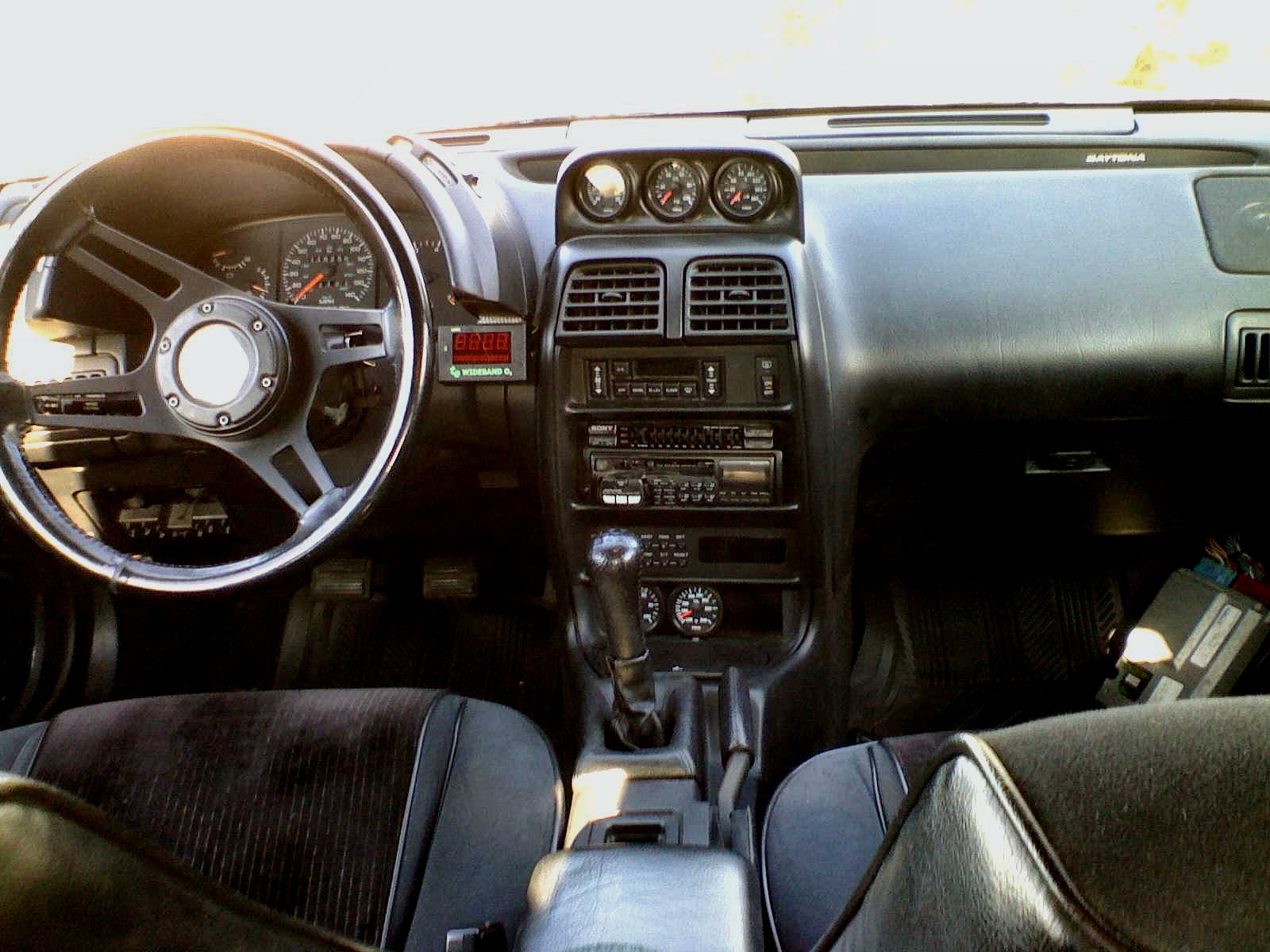
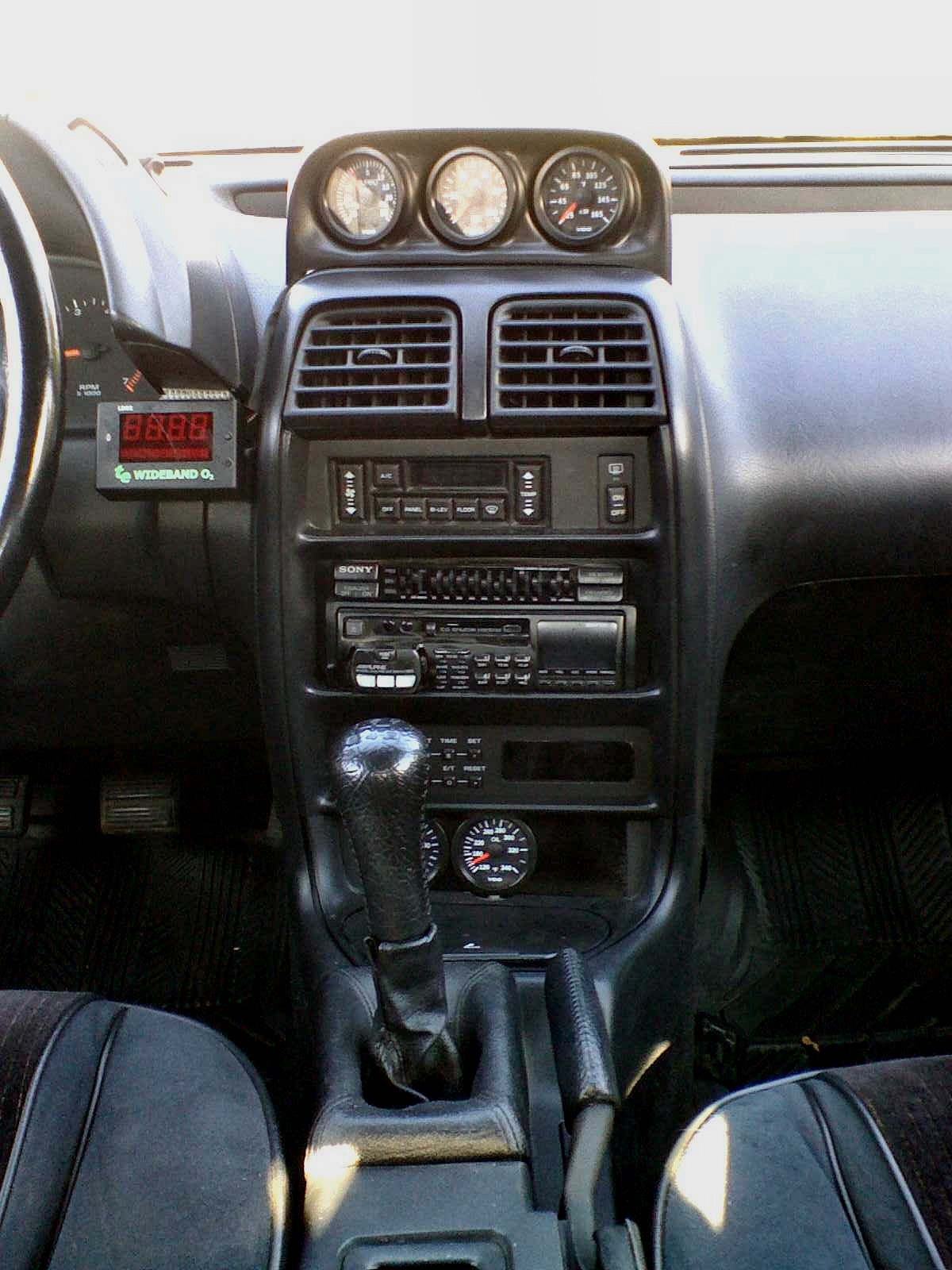
The stupid cheesy plastic draincock on the brand new radiator broke on the way to work. Stuffed a rag in the hole and limped back home. What a crappy design. Anyway, I did a few other odds and ends while I was at it, including the installation of the correct throttle cable. I also got the interior all cleaned up nice and managed to take some pics of the inside and the outside (it’s a little dirty on the outside, but oh well).
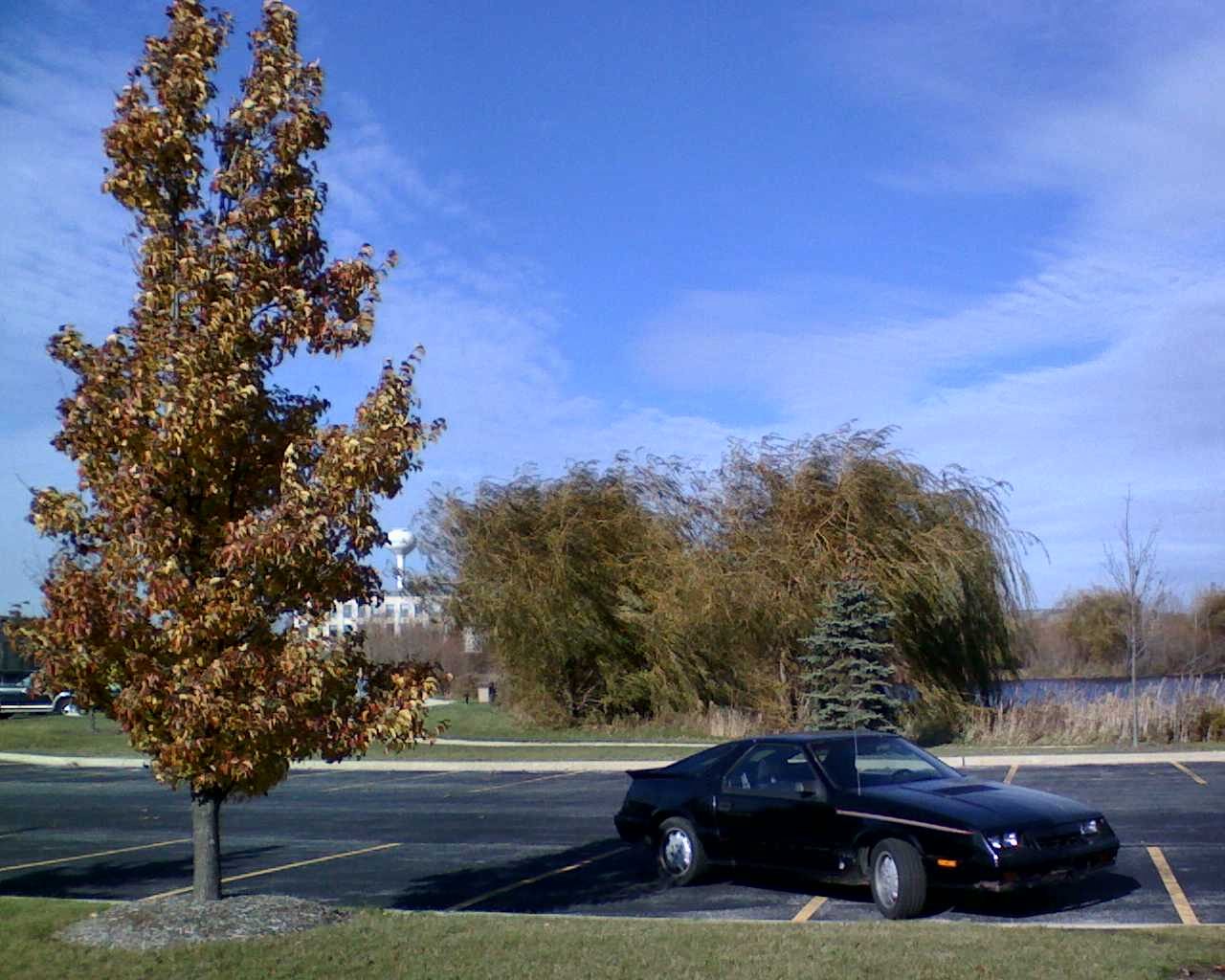
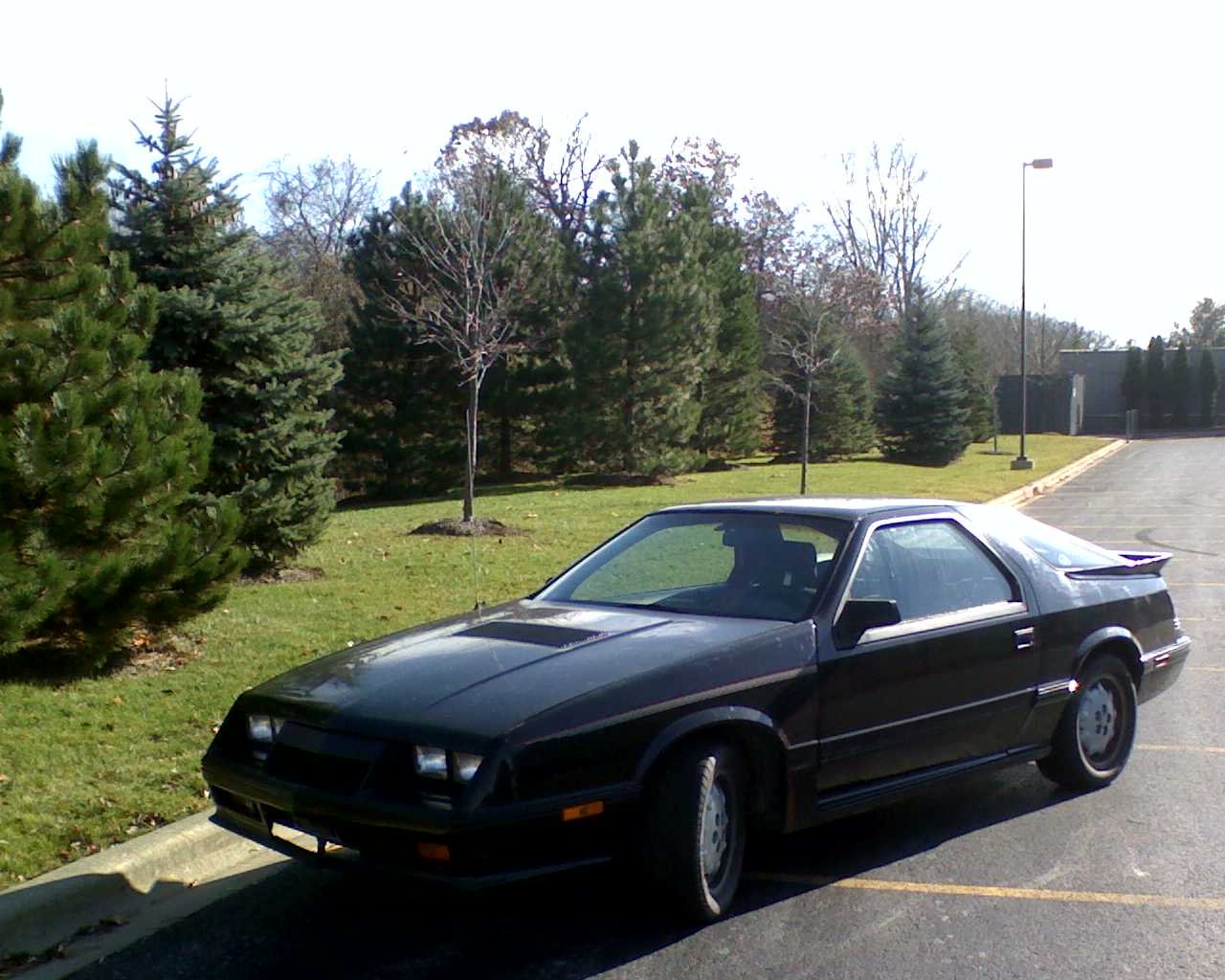
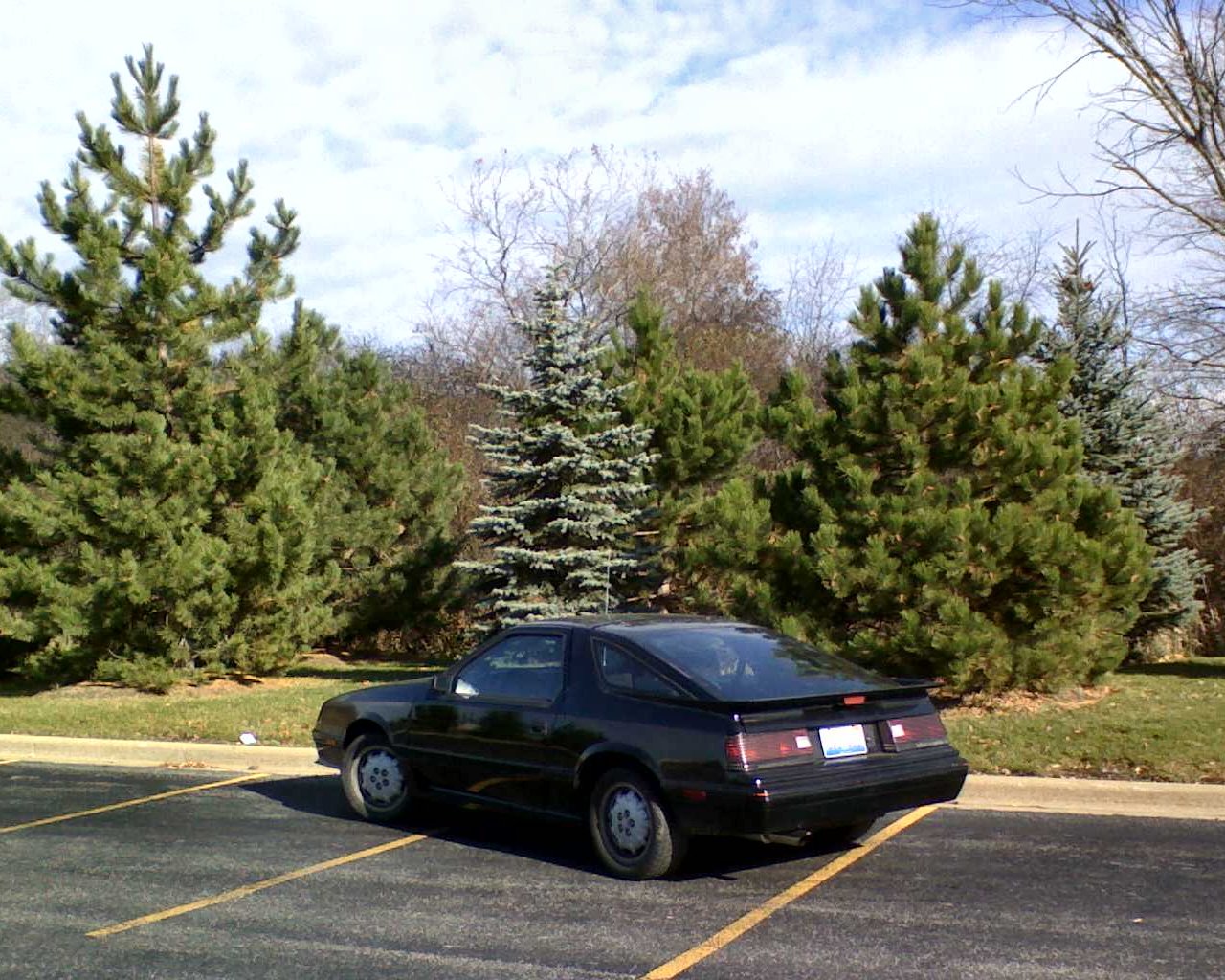
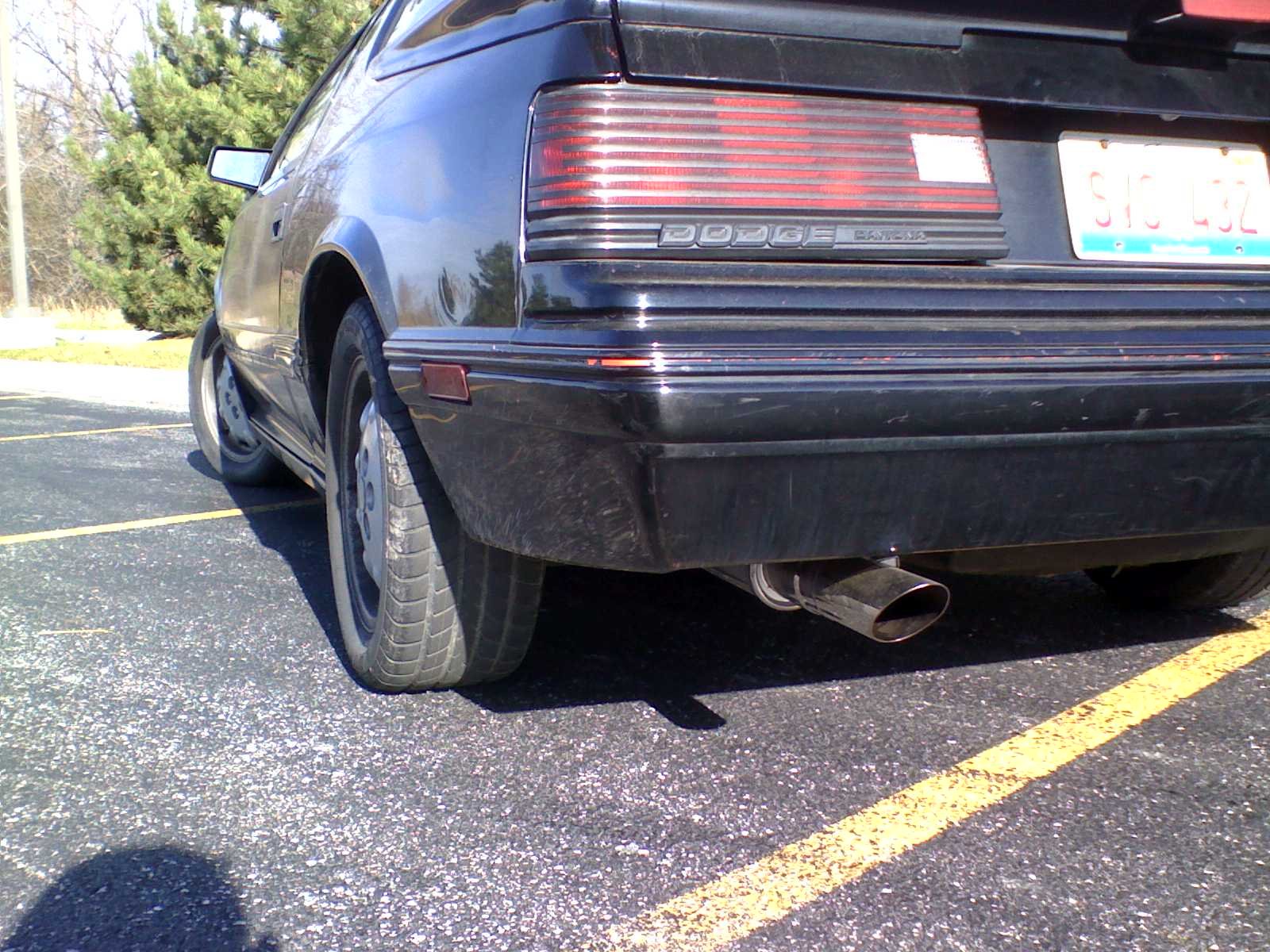
I’m really happy with how the guage pod and mounts turned out.
The Daytona: November 6, 2006
by Russ Knize on Nov.06, 2006, under Daytona
Drove it around a bit over the weekend. Took it to work today and romped on it a bit. The Super 70 is a bit more laggy, but it’s not anywhere near as bad as I thought it might be. Also, the intake temps are just a few degrees above ambient…this intercooler is the bomb. It’s pretty peppy even when the turbo is lagging and man this sucker moves when the boost hits. It will be interesting to see how it works once I start cranking it up. Right now it’s on the stock cal with the fuel pressure turned way down. It won’t go low enough in vacuum, so it makes it a little lean further up the scale since the autotrim gets a little out of whack. It’s like 10.5:1 at WOT, but if I leave part throttle it HAULS.
The Daytona: November 3, 2006
by Russ Knize on Nov.03, 2006, under Daytona
Finished hooking up all the guages, mounting the guage pods, getting the exterior all lined up, and getting it on all fours. Had to shorten the hood vent tray to clear the intake manifold. Also did a little fixup on the fenders, since the 87 put the belt moulding above the belt line, while the 86 has it just below the line. Did a little creative tie-wrapping to get the early throttle body cable to work on the blow-through throttle body.
The CSX: November 3, 2006
by Russ Knize on Nov.03, 2006, under CSX
Well, on the way home from work I noticed that I had no heat and the temp guage was acting weird. I was like great, it’s the frickin’ head gasket that’s making it smoke. I started filling the radiator, which was pretty much empty, and heard a splashing noise. I look under the car and coolant is dumping out from behind the block. Dang core plug popped out again. Man I hate that thing. There is no room for the CSX in the garage, so I forged ahead with the Daytona. The CSX needs the front struts swapped, the turbo swapped, the clutch swapped, the radiator core support welded, the K-frame checked for square, the ball joints re-replaced, and a full, 4-wheel alignment job. Poor car needs a break.
