
Software Projects
Back in the dark ages, I occasionally released “Freeware” programs for the DOS, Windows 3.1, and Windows 95 platforms. A lot has changed and the vast majority of those have become irrelevant. Since I’ve been using Linux for day-to-day use for the past decade or so, most of the interesting stuff can be found there.
MythTV on a Raspberry Pi 4 (and 5)
by Russ Knize on Mar.27, 2025, under Computing, Linux
 So I finally bit the bullet and stood-up a MythTV front end on this Raspberry Pi 4 that had been hanging around the office for years. I had back-ordered one during the post-COVID supply chain crunch and it turned up many months (possibly more than a year) later, but I hadn’t had the motivation to tackle the project. The Raspberry 5 announcement reminded me, so I ordered one and decided to try to get Myth working on the RP4 to start. There are some issues with the decoder and graphics software stacks on the RP5 at the moment, but I knew the RP4 would work.
MythTV Frontend Saga
by Russ Knize on Mar.26, 2025, under Computing, Linux
 I’ve been using MythTV for more than two decades now. I have separate front and back ends, as I’ve always had some sort of server running in the basement that is on all the time. Our first front end was an original Xbox with a Cromwell BIOS running Xebian. It was just powerful enough to do the job at standard definition and we already had the DVD remote accessory, so it was the perfect choice. The Xebian project was eventually abandoned and despite my efforts to keep Debian on the Xbox going, software bloat made the experience rather sluggish. A VIA EPIA M10000 Mini-ITX system took its place in our living room, while the Xbox moved into our bedroom. We used the EPIA for many years until the capacitors started to fail.
Cinnamon Workspace Switcher Labels v6
by Russ Knize on Feb.07, 2025, under Linux
I recently switched back to Cinnamon from MATE on one of my machines and found I needed to reapply this patch again. I’ve updated it a bit to support all three modes of operation (workspace desktop preview, workspace labels, and the original useless numbers), selectable from the configuration dialog. You can also specify the button width in label mode, which can be nice if you want control over the aesthetics.
This patch works for version 6.x of cinnamon:
Download it and apply it thusly on a Debian-based system:
$ cd /usr/share/cinnamon/applets/workspace-switcher@cinnamon.org
$ sudo patch -p1 < ~/Downloads/workspace-switcher@cinnamon.org.v6.patch
patching file applet.js
patching file settings-schema.json
$
Then restart cinnamon with Alt+F2 and then “r” and enter.
Flying an Eaglercraft Server
by Russ Knize on Jan.23, 2025, under Linux
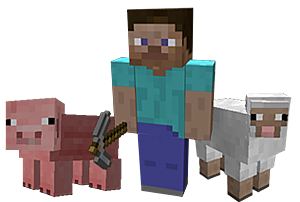 This is a brain-dump of what I ended up doing to setup an “Eaglercraft Server”. I’ve been running small Minecraft servers since around 2011. It was just for myself and a few of my work colleagues. I enjoyed experiencing MC coming out of beta and eventually growing up. We ended up with two servers, the original that started in Beta1.3 became a creative server and a “newer” 1.4 server running in survival mode. Over time, I eventually lost interest in the game but left the servers running. Like so many kids over the past decade or so, mine inevitably got into MC in a big way and still spend time on the old servers with their friends from time to time. I also stood up a third server for them to have a fresh start, since the old worlds are massive and had been generated using such old versions (there are some pretty weird chunk transitions in places). One day, my youngest asked me if I could help him setup an “Eaglercraft Server”. Boy, what a rabbit hole that turned out to be…
MythTV and the Adesso Vista MCE Remote Control
by Russ Knize on Aug.16, 2023, under Computing
I am documenting here, for posterity, my journey while trying to maintain support for the Adesso Vista MCE remote control on my MythTV front ends. Yes, I still use Myth and I believe I have had a backend running continuously since 2004, possibly earlier. I’ve had plenty of misadventures with it over the years, but the one thorn that has always been in my side is IR remote control support. In the early days, this was pretty clumsy as it required the use of LIRC: an out-of-tree set of drivers to support IR receivers through a serial interface. I would usually use it with some generic universal remote control or a remote that came with a video capture card. Once it was working, it usually worked fine for a while. However when it came time to perform an OS upgrade, the remote would always be broken because of issues between LIRC and the kernel. LIRC went through several generations of config changes as well, so my painstakingly-created lircrc would often not work even when I managed to get LIRC itself working. Eventually I threw in the towel and bought a bespoke MCE remote that was supposed to “just work”. There were a number of these available that were designed to work with Windows Media Center. I chose…poorly.
Cinnamon Workspace Switcher Labels
by Russ Knize on Sep.16, 2015, under Linux
I’ve been using Linux Mint for years now. Like a lot of people, I switched around the time that GNOME and Ubuntu set out to gaslight the world about how everything about their workflows have been wrong for all this time. I tried GNOME Shell, but with each passing release they stripped more and more useful functionality from it. Linux Mint kept the GNOME 2 torch lit and eventually offered both MATE (a GNOME 2 fork) and their own Cinnamon (GNOME 3 based) desktop variants. I liked what Cinnamon had to offer, but it was a bit buggy and I so stuck with MATE instead.
Cinnamon continued to improve and at some point I decided to switch over to it. I was able to recreate most of my workflows, but one thorn in my side was that at some point they replaced the workspace names in the switcher with these useless numbers. It was either that or a tiny thumbnail of the desktop. I use workspaces in a very specific way that helps me keep my trains of thought in order and the naming convention is a big part of that. Thinking this was just temporary, I modified the JavaScript to bring back the names instead of numbers and kept reapplying the patch every time Cinnamon got upgraded.
Here we are years later and the silly thing is still broken! I sent the patch to dev that made the original change, but they didn’t take it because it has a one major flaw: the width of the buttons is hard-coded. I suspect this is the real reason behind why the simple view only shows the number. It’s tricky to know how to set the width, as it depends on the font being used, DPI, etc. I assumed there was some “proper” way to do this, but I guess not?
Anyway, I’m posting the patch here in case anyone wants it. If you want wider/narrower buttons, just change the constant at the top.
MythTV 0.26
by Russ Knize on Mar.10, 2013, under Linux
I had upgraded my MythTV back and front ends recently from version 0.24 and ran into some annoyances:
- The MediaMonitor has a new dependency on the udisks daemon, even if you don’t use the Media Monitor feature. Without it, Myth had very poor behavior when trying to eject optical media. The eject option in the menu would just display a dialog saying “No devices to eject.” Also, the physical eject button would get disabled after playing the disk even though I could eject it from a terminal with “eject” as the mythtv user. The fallback in MediaMonitor::ejectOpticalDisk() seems to be useless.
- My carefully-crafted channel lineup for Comcast became non-functional. This is such a tedious process that i still haven’t gotten around to fixing it. Right now, my digital tuners are recording programs that can’t actually be tuned.
The Phantom
by Russ Knize on Nov.19, 2012, under Keyboards
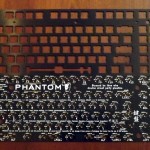
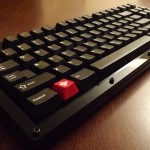
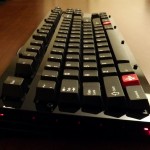
The Phantom keyboard is a community-driven keyboard project. The goal was to build a tenkeyless mechanical keyboard with customizable firmware that would fit into a Filco or similar case. The keyboard controller is a Teensy 2.0 and the key switches are Cherry MX. This build uses lubed “ergo-clear” switches and is mounted in an acrylic case from Litster on GeekHack. The key caps are double-shots from a Cherry G80 with a few novelty keys from the Cherry Replica project.

Tenkeyless Comparison
by Russ Knize on Nov.15, 2012, under Keyboards
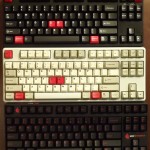
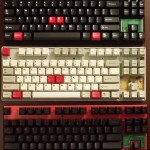 Here is a comparison of the internals of the 3 big tenkeyless boards that are often discussed and recommended at GeekHack and other forums: the Filco Majestouch 2 (aka MJ2), the CM Storm Quick Fire Rapid (aka QFR), and the Leopold FC200. From the outside, the similarities of the MJ2 and QFR case design are obvious. They are both made by Costar and therefore use Costar stabilizers. However feature-wise the MJ2 has an attached cable and separate caps/scroll lock LEDs, while the QFR and Leo have removable cables attached from under the case and integrated LEDs. The Leo uses Cherry stabilizers. A nice touch on the MJ2 is rubber feet on the rear legs, which most other keyboards on the market lack.
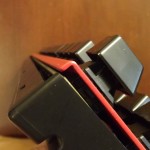 The MJ2 and the QFR use the exact same method to support the plate. The plate is curved downwards at the top and bottom, which rests on the base. The plate thickness is the same (0.055″) and both are made from steel. The cases are the same material and about the same thickness (~0.110″). The only interesting difference is that the MJ2 uses 2 screws to hold the plate down on the base. Both clamp the plate to the base with the top half of the case, which snaps together in the same way and are locked together with one screw.
The Leo, on the other hand, has a plate that curves up and is supported by small ribs along the top and bottom. The plate thickness is the same, though, so this probably does not affect the feel of the board in any meaningful way. The case uses slightly thinner plastic, about 0.100″ – 0.105″ and snaps together with small tabs along the bottom edge (which make it much easier to open). It’s locked together with three screws.
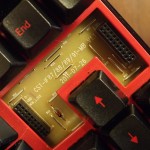 The QFR and the Leo use a single-sided FR2 ~0.06″ PCB while the Filco uses a double-sided FR4 0.065″ PCB. The MJ2 and QFR both use a header-mounted controller (though not compatible) while the Leo has the controller built onto the main PCB. The slightly thicker and denser PCB material on the FJ2 is the only major thing that sets it apart from the other two.
Click on the pictures for detailed comparisons.
Clearly Ergonomic
by Russ Knize on Nov.07, 2012, under Keyboards
The Cherry MX switch lineup is somewhat lacking a “quiet” tactile switch that is really tactile. As a buckling spring enthusiast, I find the MX blue switches highly annoying both in terms of sound and feel. The click has a very high-pitched tick and ring to it and the tactile feel has an odd disconnect from the time the key is registered. This might be because the reset point is above the actuation point. MX brown switches are not really all that tactile to begin with, but at least they register the press at a more intuitive moment and they don’t have that annoying tick. Cherry also has a more tactile version of their brown switch, which has a translucent “clear” stem. The springs are quite stiff, which makes them tiring to type on for any length of time.
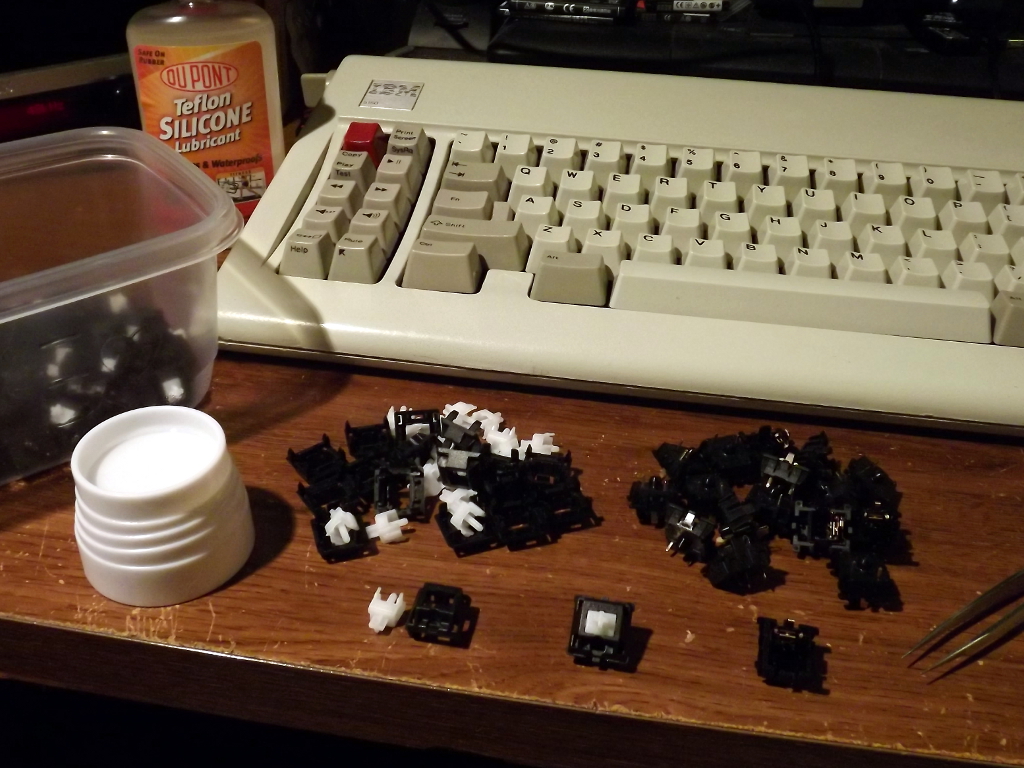 A very common Cherry MX switch modification in enthusiast circles is the so-called “ergo-clear” mod. This is where you combine the MX clear stem with the lighter spring from an MX blue/brown/red switch. I’ve decided, for me at least, that the ergo-clear provides the best typing experience that a Cherry MX switch can provide. It’s no buckling spring, but it comes close and is less noisy to boot.
Usually, most of the work is getting into the switches. If the switches are already in a keyboard, they have to be desoldered if they are the plate-mounted variety. PCB mounted switches can be popped open without desoldering as long as the switch does not have integrated LEDs. I’ve done this to a few boards now, but this time I am working with loose switches.
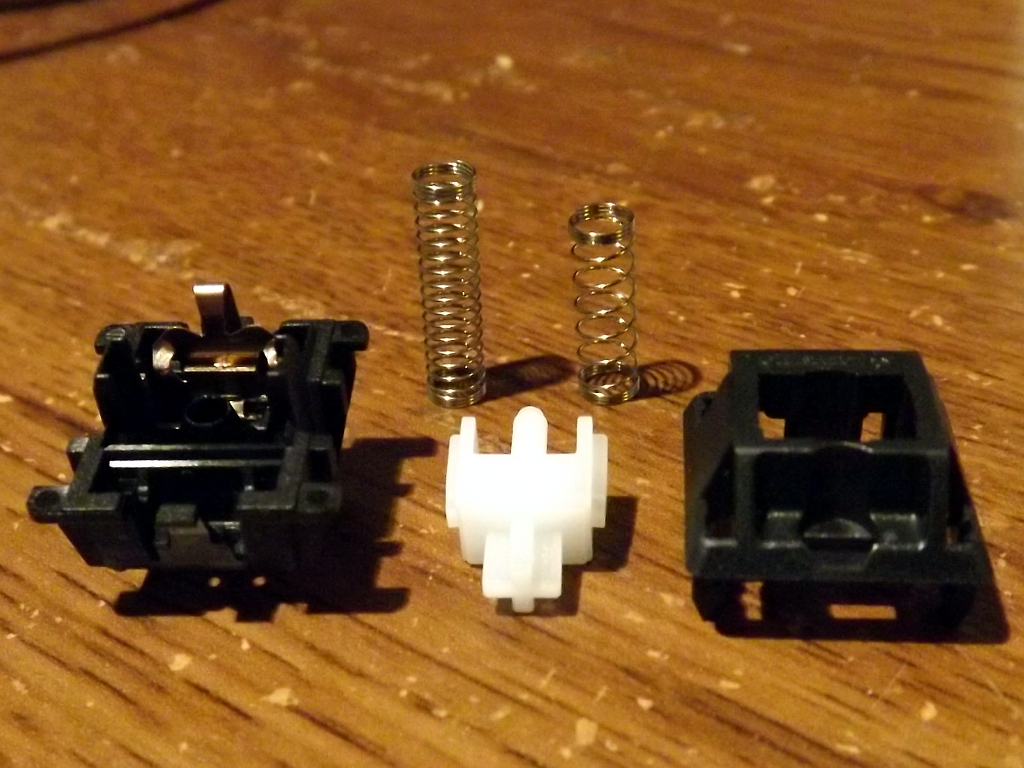 The switches are fairly easy to pry apart with a pair of small tweezers or similar tool. Some care is required during reassembly, but it is not that difficult. I also lube the stem guides with Silicone Teflon lubricant. This is a good idea with ergo-clears since the soft spring can have some difficulty overcoming the weight of the key and the friction of the tactile bump.
The soft spring is the longer one on the left.
